Branded photo ads in seconds
Put your brand inside the photo.
Upload any photo. Layr finds the people and objects, then slides your text behind them — the depth effect top brands use, without Photoshop.
- Private Photos never leave your device
- Any subject People, cars, products, pets
- Full quality Export sharp PNG or JPG
Three steps. No Photoshop.
- 1Upload a photo
Drop, browse or paste. The AI finds people and objects in seconds.
- 2Add your brand
Type your text and pick from 30+ styles and 55 fonts. It slides behind the subject.
- 3Download
Press Done to see the final image and save it as PNG or JPG.
Private by design
Your device does the work. Your photo stays with you.
Why does Layr use my graphics card?
Cutting a person out of a photo takes billions of small calculations. Your graphics card (GPU) does thousands of them at once, so it takes 1–2 seconds instead of 10–30 seconds on the processor (CPU).
- Only while working. The GPU is used for the few seconds the AI runs, then it rests. Nothing runs in the background.
- Only for your photo. Your device never works for anyone else, and nothing is mined or shared.
- No GPU? No problem. If your device has no suitable GPU, Layr uses the processor instead. It is slower but works on every modern browser.
Most cutout websites upload your photo to their own servers and run the AI there. That costs them money and means they see every photo. Running on your own device keeps Layr free and private.
Best results
What the AI loves, and what confuses it
- People, cars, products, animals
- One clear main subject
- Subject stands out from the background
- Busy digital art and posters with strong colours everywhere
- Neon signs, outlines and shapes that look like the subject
- Many overlapping objects, or a subject the same colour as the background
Press Fix cutout in the editor, then tap anything the AI missed. Tap Remove object first to take out anything it picked by mistake. Each tap selects the whole object.
Guides & ideas
Learn the effect, then make it yours
 How to put text behind a person in a photo (free, no Photoshop)A step-by-step guide to the popular "text behind subject" effect: what it is, why it works, and how to make it in a minute in your browser.6 min read
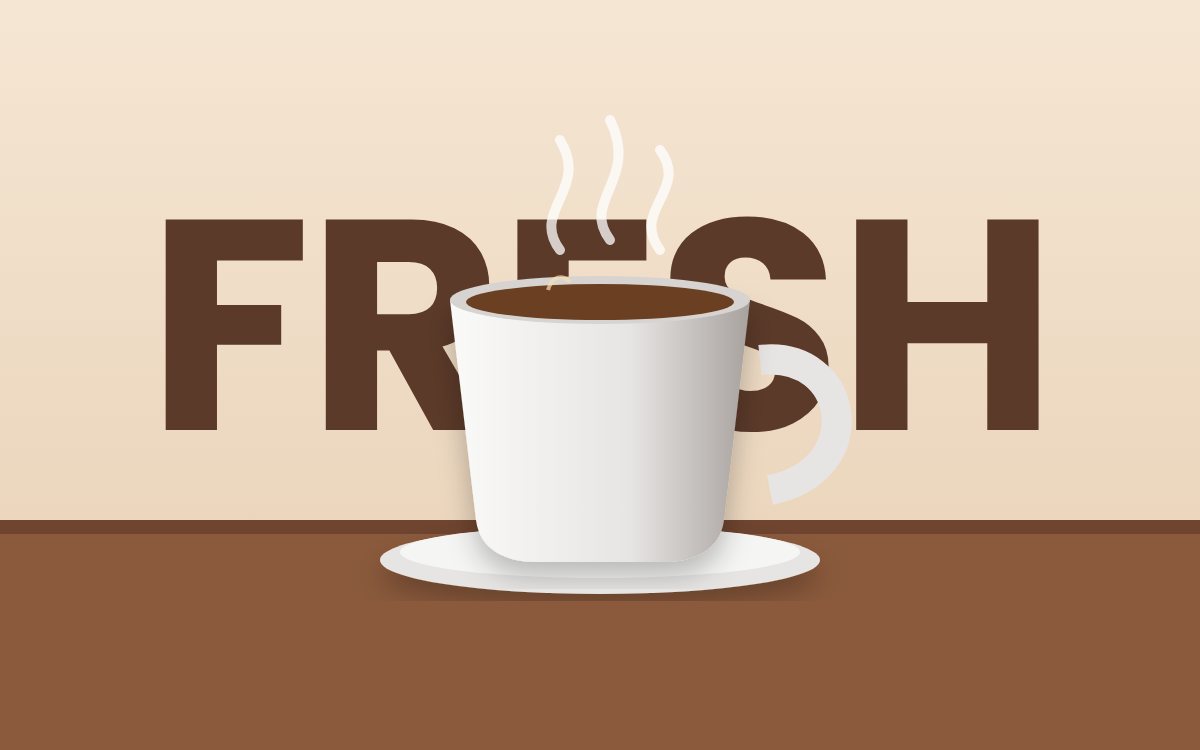 12 text-behind-photo ideas for Instagram, WhatsApp and postersTwelve practical ideas for the text-behind-subject effect — for birthdays, travel, sports, sales and more — with tips on which word, font and colour to use.7 min read
 Text-behind-photo ads for small businesses: car dealers, cafés and shopsHow small businesses can make eye-catching photo ads for WhatsApp, Instagram and Facebook with the text-behind-subject effect — no designer needed.7 min read
Questions
Is it free?
Yes. Layr is free to use. Ads help pay for it.
Is my photo uploaded anywhere?
No. The AI runs inside your browser on your own device. Your photo and your text never leave it.
Why is the first photo slow?
The first time, your browser downloads the AI model (about 90 MB). After that it is saved in your browser, so the next photos start in seconds.
Why does my fan spin up for a moment?
That is your graphics card doing the cutout for a second or two. It stops as soon as the cutout is done.
Can I use the images in my ads?
Yes, the images you make are yours. You must own or have permission to use the photo and any brand names or characters in it.
Which browsers work best?
Chrome and Edge on a computer are fastest because they can use your graphics card. Other modern browsers work too, using the processor.
Is the code open source?
Yes. The full source code is public under the AGPL-3.0 licence. See the Licences page.